
5 conversion Rate Optimization Tips for your checkout page
Since the checkout page is one of the most important pages in your ecommerce website, you have to be sure that you can take the best of it. Some times checkout page is exactly the place where customers take the decision to buy or leave.
1. Layout it right
Give your customers the feeling that they are in a checkout page and just need to do 1 step to complete their order. Let them focus on filling their shipping & billing details.
Use one-page checkout. Many case studies have shown that one-page checkouts convert better than multi-step checkout pages. Anyway if you really have to make your checkout page in few steps, let your customers know where they are, what have they passed and what is left. In every next step show them what they did in the previous, that way you will prevent them of going back to the previous steps/pages.
Removing main site elements like navigations, sidebars, big footers, banners etc are also one of the best things you can do in point of design. It’s important to have you customers focused and feeling comfortable to finish the checkout.
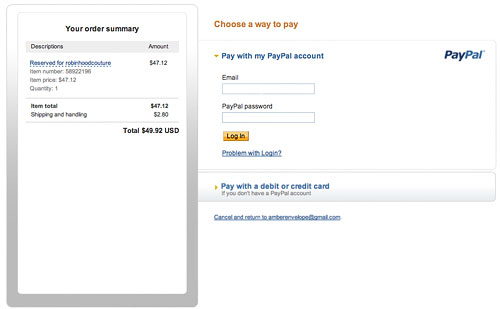
PayPay’s checkout is a great example of simple one-page checkout.
2. Simplify
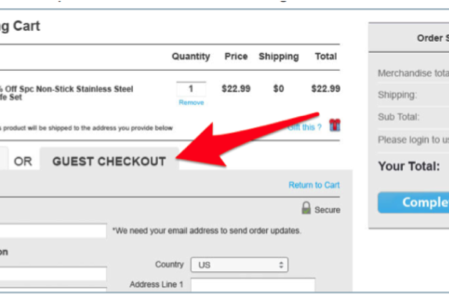
Guest checkout option is important. If your customers are not logged in always give them first the ability to checkout without a registration or give them option to sign up with one-click using their facebook accounts. Customers don’t like registering, its engaging. You always can send them an account password after they finish their order.
Ask them only for what you need. People do not like filling unnecessary fields. The less fields your customers have to fill, the faster they will finish the checkout process. Always use default billing address same as shipping with checkbox option to show the billing fields.
3. Trust elements
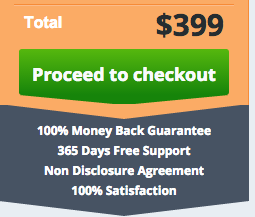
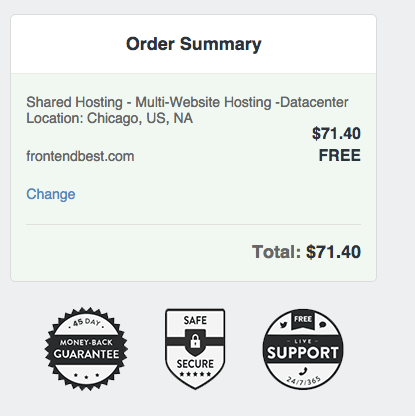
You have to give your customers the feeling of security checkout process. HTTPS is mus-have. Put logos of the credit cards and payment methods that you accept. Giving money-back guarantee is also really helpful. Adding the right testimonials to the checkout page is worthy.
4. Give enough information
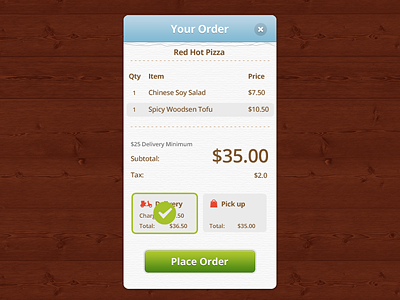
Show clearly all the products of the purchase with their prices, including delivery information, taxes and etc. Your customers want to be sure what they order and how much they will pay. Otherwise you risk them to leave the checkout page looking for total prices in basket page or shipping costs on the delivery page.
5. Prevent exits
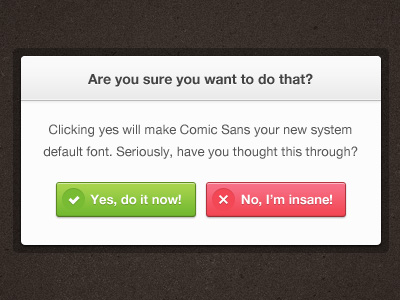
You should keep your customers in the checkout page until the time they pay. Try to prevent any option of leaving the page during that time. You can use a simple javascript code or popup if the customer try to leave the page by mistake or even offer them discount if they do it.
I the tips from the Front End Factory will help you to increase your conversion rate.
You can subscribe to our newsletter to get weekly tips on how to better your CRO.
Leave a Reply